The idea, in plain English
Start here.
A helpful product page lets a shopper identify the item, check whether it fits their needs, understand the selected option and review the relevant price and purchase conditions. Use verified specifications and representative images. Keep unknown claims out of the promise, and test that the selected item is what the interface actually adds to the cart.
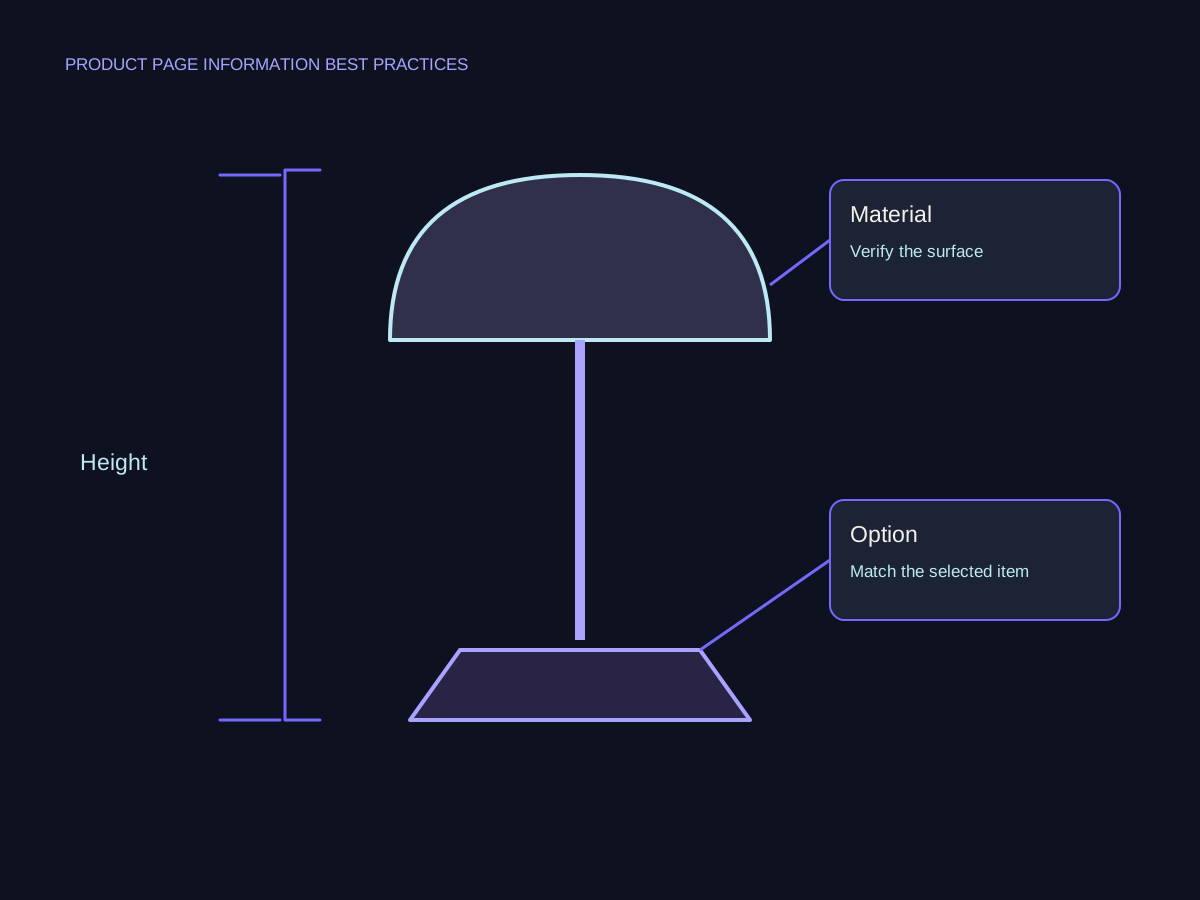
A beautiful image can make a lamp appealing without showing whether its base fits the desk. ‘Premium quality’ can sound persuasive without explaining what the item is made from. Build the page around the questions that affect this particular choice, then show the evidence clearly enough to use.
A few words you’ll meet.
OPEN WHAT YOU NEED ↙Product detail page
The page describing a particular catalog item, with its relevant options and purchase information. It differs from a collection of many items.
Specification
A factual product detail, such as a dimension, material or supported connection, that should be checked against an appropriate product source.
In-scale image
An image showing the item beside a reliable reference or in a truthful context so its size is easier to judge. It should agree with the actual dimensions.
Purchase condition
A relevant limitation or term affecting the order, such as the selected variant, delivery calculation, included items or applicable return information.
Start with the shopper’s unresolved questions
List the questions someone must answer for this item: what it is, what is included, whether it fits, which option is selected and what happens after purchase. Use actual customer questions and product evidence where available. Keep a category’s broad browsing job separate from an item’s specific information.
Product-page problems are worth investigating rather than assuming a polished design is enough. In its March 2026 product-page benchmark summary, Baymard classifies 52% of desktop and 62% of mobile implementations as having ‘mediocre or worse’ product-page UX. These are its benchmark classifications for leading US and European ecommerce sites, not a measurement of every store or a conversion-loss percentage.
Build claims and images from verified product facts
Keep a short fact sheet with the product source, checked version and unresolved details. Turn confirmed attributes into plain explanations without adding an unsupported benefit. A material name alone does not prove waterproofing, durability or environmental performance. If a claim needs a test, certification or compatibility record, obtain that evidence before using it.
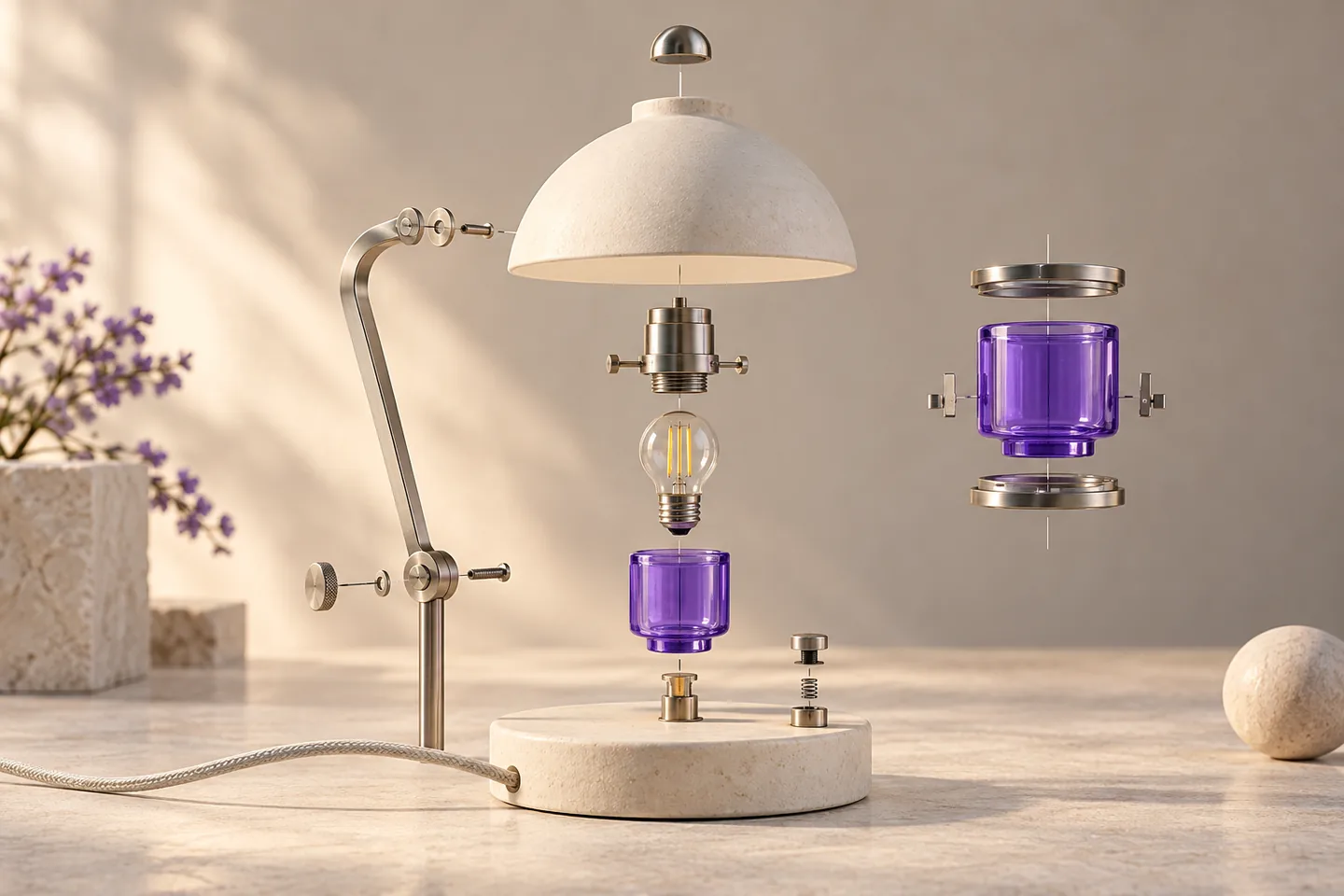
Choose views that help evaluate this item: its overall form, relevant details, scale and the selected option. Do not let a decorative render imply an included accessory, finish or feature that the supplied product does not have. Use descriptive text alternatives for informative images and keep the useful detail accessible on a phone. Real product evidence and a conceptual teaching illustration have different purposes.
Read the benchmark within its scope.

Make the selected offer understandable
Place the product identity, selected option, applicable price, availability and clear action where the shopper can understand them together. When a choice changes the item, check the image and relevant details too. State what is included and any confirmed conditions that materially affect the decision. Do not invent stock scarcity, testimonials or discount comparisons to create urgency.
Make relevant delivery and return information easy to find. If a final cost or delivery estimate depends on the destination, explain the dependency instead of showing a universal promise. Link to the actual applicable policy and confirm that a short summary agrees with it. The right amount of detail follows the item and question; a fixed word count or requirement to fit everything above the fold is not a substitute for checking the experience.
Test the decision and the cart entry
Try a concrete task on a phone: identify the item, check an important dimension, choose an option, find the delivery condition and add the intended item using an authorized test setup. Verify the resulting cart entry and confirmation. Check that image controls and information sections remain usable and do not obscure the main task.
For an improvement, record the observed problem, evidence, proposed correction and acceptance result. Later purchase or return data can help review outcomes if the definitions, sample and context support it. A vendor’s successful case or a usability benchmark does not predict your conversion lift. Improve the demonstrated information problem, then evaluate later evidence without guaranteeing rankings or sales.
A small product fact sheet with one open question
Fictional Aster Desk Lamp facts for this exercise only. Dimensions and conditions below are invented teaching inputs, not specifications of an actual product.
| Shopper question | Exercise evidence | Page treatment |
|---|---|---|
| Will its base fit? | The fictional approved sheet gives a 140 mm base diameter. | Show the dimension and a representative scale view. |
| How tall is it? | The fictional sheet gives an overall height of 380 mm. | Use a clearly labeled measurement rather than an unscaled guess. |
| Is a bulb included? | The supplied exercise record does not confirm this. | Hold the claim and ask the product owner to verify it. |
| When will it arrive? | The example’s delivery estimate depends on destination. | Explain the dependency and the actual estimate/checking route. |
Put it into practice
Write a product-page readiness brief
Use the fictional Aster fact sheet. Its dimensions are approved for the exercise, bulb inclusion is unknown and the selected finish must agree with the image and cart entry. No live purchase should be made.
- List the specific buying questions and their evidence status.
- Draft a short factual description without inventing the missing inclusion detail.
- Choose useful dimension, detail and selected-finish views.
- Write a clear delivery-condition summary and policy check.
- Specify an authorized test flow that confirms the selected option in the cart, with later sales outcomes left unproven.
Keep your working notes in your own document. This page saves only your completion check, not your answers or customer data.
Check your understanding
Make the call.
Choose an answer for each question. Then compare the reasoning.
You have a useful next step.
- Choose product-specific buying questions and verify the supporting facts.
- Keep images, selected options and purchase conditions aligned.
- Test the actual decision journey and separate implementation from later outcomes.
Completion is your own learning record. Quiz scores and practice checks are saved separately, on this browser.
Sources & context
The sources below explain the factual foundations and editorial methods used in this lesson. Worked examples, planning models and exercises are illustrative teaching material.
- Baymard: Product-page UX benchmark and pitfalls
Original research publisher, article updated March 18, 2026. The 52% desktop / 62% mobile values describe its own UX benchmark classifications; do not infer universal prevalence, conversion loss or a causal improvement effect.
- Google: Creating helpful, reliable content
Previously reviewed primary guidance on useful reader-focused information and substantiating claims. The lamp facts and readiness brief are original fictional exercises.
Explore the full companion guide
This lesson is also part of the journal. Keep reading for the original guide, supporting references and further detail.
A helpful product page gives someone enough information to decide whether an item fits their needs and to select the right version. It connects pictures, facts, options and purchase conditions. Start with the questions your product raises, then test what the page actually communicates before adding more promotional copy.
Tell shoppers what the product actually is
Describe the item in concrete terms: its purpose, material, dimensions, included components and relevant limits. Separate facts from the benefit you expect someone to value. “Handmade ceramic cup” identifies a product; “perfect for every occasion” does not help a person check its size, care requirements or intended use.
Create a fact sheet for the category before rewriting individual pages. For a cup, it might include capacity, dimensions, finish variation and care instructions. For a replacement part, model compatibility and exclusions may matter more. Name who verifies the information and where it comes from. If a detail is not confirmed, resolve it rather than filling the template with a plausible assumption.
Use pictures to answer scale and detail questions
Give each picture a purpose. One can establish the overall item, another can show construction or texture, and another can help a person understand scale or use. Several near-identical views can leave a question unanswered even when the gallery looks full. Keep the selected color or configuration clear in the captions and image order.
For an illustrative ceramics page, a plain view shows the finish, a hand-held view helps convey scale, and a close-up explains the rim or handle. Actual product imagery must represent the item accurately; an illustration is not a substitute for verified dimensions or material details. Check image crops and zoom on a phone, and make sure text carries any essential information that the picture alone cannot establish.
Make every option and its availability clear
Write down what changes when a visitor selects an option: price, image, stock status, dimensions, included components or delivery timing. The page should update the affected information together. A selected label that changes while the buy button still adds the default item is a functional error, not a copywriting issue.
Test a nondefault option and an unavailable combination. Explain what a person must choose before the action can proceed and keep their other selections intact after an error. Use labels that remain understandable without color alone. When these behaviors are shared across a catalog, ecommerce website design needs to treat the template and its product data as one connected experience.
Explain the cost and conditions of buying
Keep the item price and selected option clear. Identify what determines any additional cost and when an exact total becomes available. If delivery depends on location, provide useful context without suggesting a single price applies everywhere. For subscriptions or bundles, explain the recurring commitment or included items before a person adds the offer to the cart.
Make delivery and return information reachable from the product decision. A short summary can point to the complete terms, but it should preserve important conditions. Avoid promotional badges that say “free” while the relevant limits are difficult to find. Use dates or clearly explained lead times that reflect what the business can actually support, with the appropriate owner maintaining them.
Test selection through cart confirmation
Start from the page a shopper could reach directly through search or a shared link. Choose an option, change the quantity, add the item and inspect the confirmation. Does it show the intended version and count? Can you correct a mistake without losing the useful context? Repeat the task on a phone and with keyboard navigation.
The mobile website journey guide offers a task-based way to record these observations. Do not treat a button animation as proof of a correct cart update. Check the actual result, including variants with different prices or availability. If a third-party checkout takes over, inspect the handoff so the offer remains recognizable.
Improve the page with category-specific evidence
Baymard's product-page benchmark updated in March 2026 rated 52% of desktop sites, 62% of mobile sites and 64% of apps as mediocre or worse. The research covers leading US and European ecommerce sites; these are UX ratings of sites, not percentages of shoppers abandoning a purchase. The chart below keeps that distinction explicit.
For your store, use the evidence closest to the product. Repeated compatibility questions suggest an information gap; wrong-variant orders suggest a selection problem; frequent fit-related returns may require better measurement guidance. Compare product-view, cart and order outcomes with consistent denominators, and watch returns or support issues after the purchase. Fix inaccurate facts and broken controls first, then evaluate more subjective presentation changes.
- Review a simple item and an item with several options.
- Check the facts that let a customer rule the product in or out.
- Confirm that selected options agree across image, price, stock and cart.
- Make delivery and return conditions easy to inspect.
- Record the actual error or unanswered question before proposing a redesign.
Pick one important product and follow it from first view to cart confirmation. Check its facts, useful image views, nondefault options and buying conditions. Correct the first discrepancy that could cause someone to choose the wrong item.
How many product photos do we need?
Enough distinct views to answer the item's visual questions. Consider overall appearance, relevant detail, scale and use. Check what each view adds instead of meeting a gallery count with duplicates.
Should an unavailable option disappear?
Choose a presentation that lets people understand the range and current availability. Clearly mark unavailable combinations and prevent the page from adding a different default version unexpectedly.
What should we measure after changing a product page?
Track the intended behavior with a consistent denominator, then follow it through orders and any relevant returns or support questions. More add-to-cart actions alone do not prove better purchases.
Companion guide references
- Baymard Institute: Product Page UX 2026 ↗
Original benchmark, updated March 18, 2026. Device percentages measure product-page UX ratings.
Put it into practice SEO Supreme
A detail check for a fictional desk lamp.
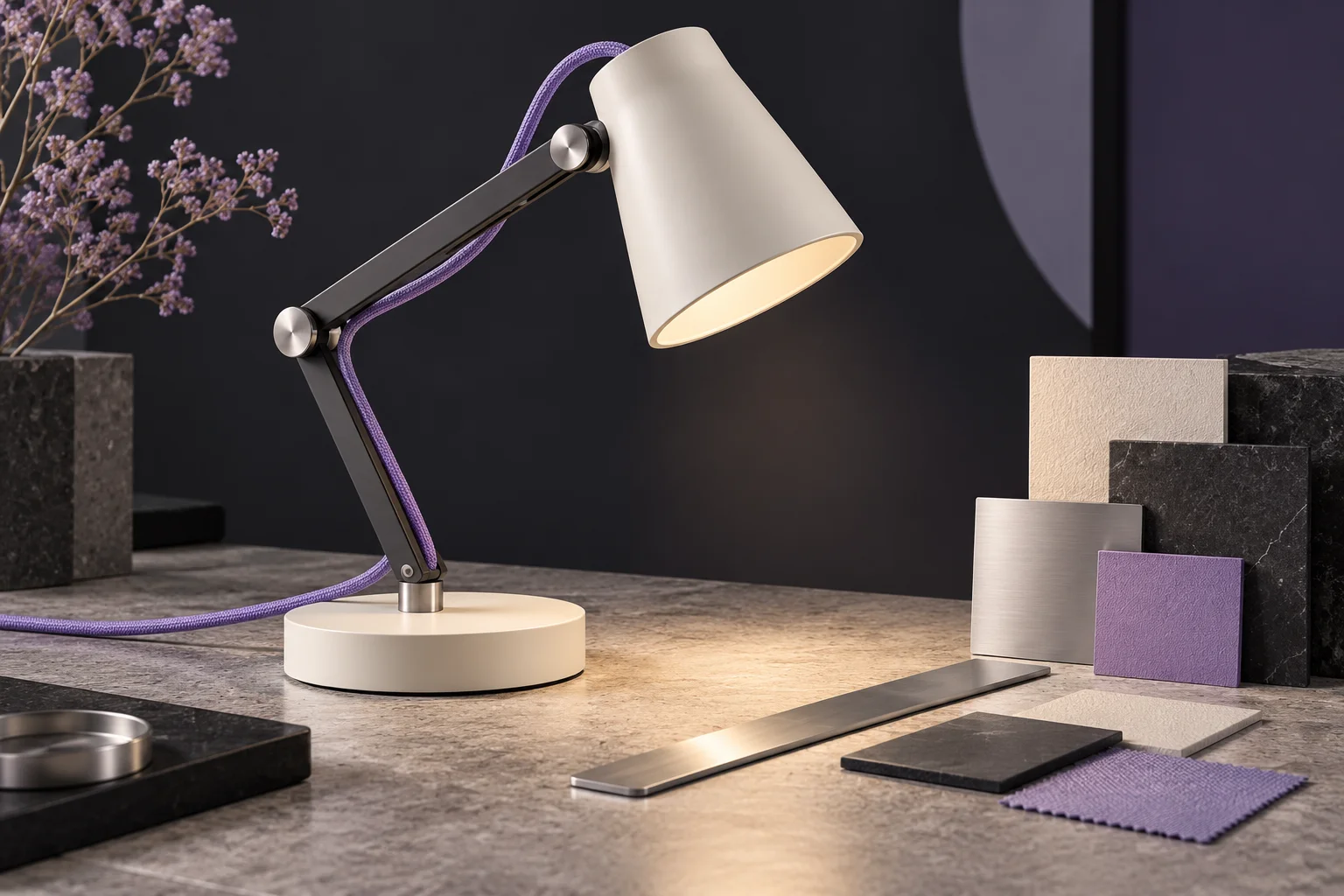
A photograph can show the lamp's shape while leaving important questions unanswered. Use this illustrative item to decide which information belongs in the page and which detail an additional image should explain.
Does it fit the intended space?
Provide verified dimensions with clear units and a drawing that shows which measurement is being taken. Do not use the dimensions from this fictional example as specifications for an actual product.
- Actual dimensions
- Clear units
- Intended space
What is the selected option?
Explain finish or configuration names and show a corresponding image where it helps. The selected option, visible availability, and item placed in the cart should agree.
What else must be confirmed?
Use approved information for compatibility, included components, delivery, and returns where relevant. The product page should make those conditions reachable without assuming the visitor already knows the catalog.