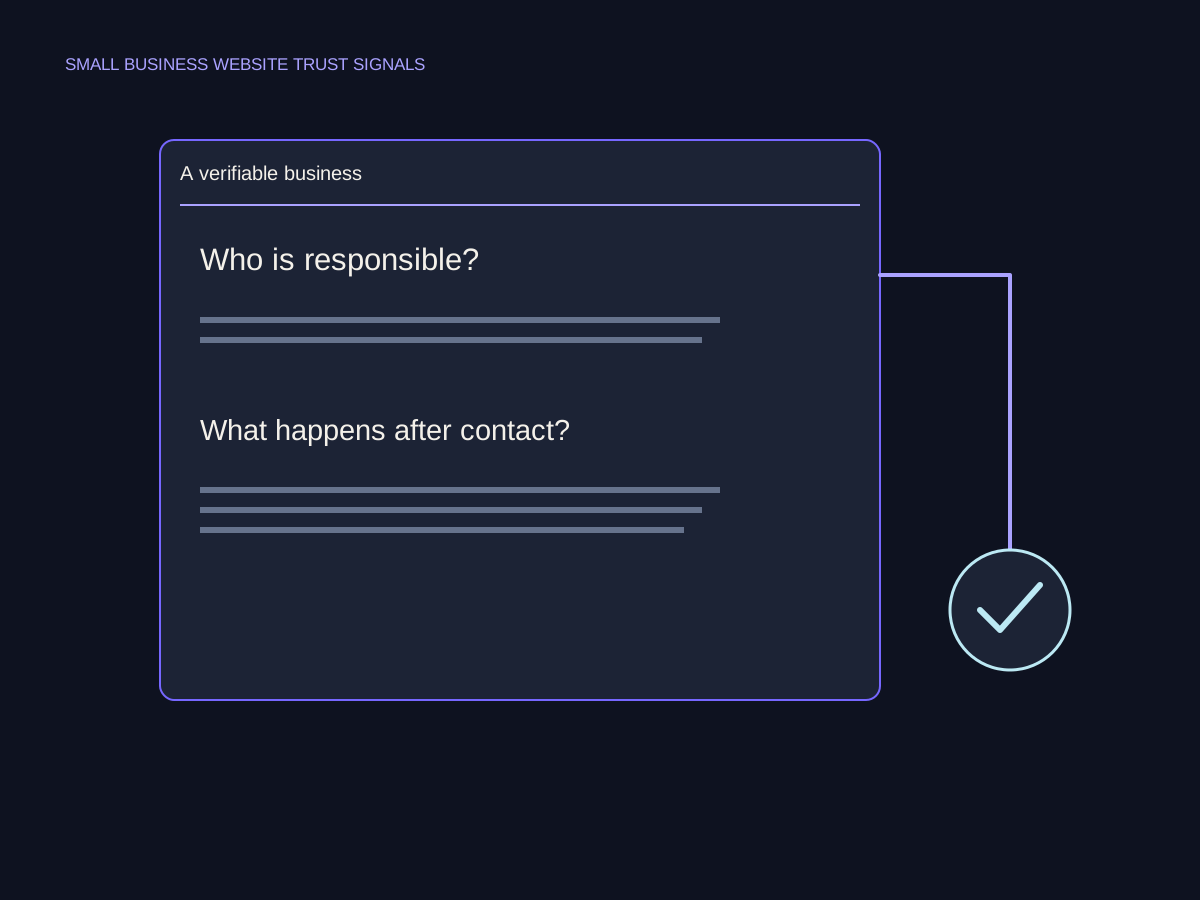
The idea, in plain English
Start here.
A useful website trust signal helps a visitor check a relevant claim: who is behind the service, what work was done, what an endorsement actually says or which conditions apply. Use evidence with its source and scope, place it near the question it answers and keep it current. Attractive badges, precise-looking numbers and a secure connection do not independently verify a business’s promises.
A visitor considering a custom frame may want to see comparable work, understand the process and know who will answer a question. A row of unexplained logos does little to resolve those needs. Start with the uncertainty, then choose material that can honestly answer it.
A few words you’ll meet.
OPEN WHAT YOU NEED ↙Trust signal
Information or an interface cue that a visitor may use when judging credibility, reliability or risk.
Provenance
Where a piece of evidence came from and how its identity, date and context can be checked.
Scope
The claim that the evidence actually supports, including relevant conditions and limits.
Reassurance
An accurate explanation of what will happen or what terms apply, rather than an unsupported promise that removes every risk.
Start with the question behind the doubt
List what a visitor needs to establish before taking the next step. Can this studio do the kind of work I need? Who is responsible? What happens after I send a request? What costs, conditions or limitations should I understand? Different pages and decisions need different evidence, so a universal badge checklist is a poor substitute for those questions.
Make the business identity and contact route understandable. Describe the actual people or roles involved, the real service scope and the next known step. Keep this information consistent with the relevant detail pages. If a response time or guarantee is not established, confirm it with the owner rather than inserting a comforting promise into the design.
Match each claim to evidence with a source and scope
An approved work photo can show a particular completed project when its description is accurate. A customer quote can describe that person’s experience. A credential can establish a specific qualification when it is relevant, current and verifiable. None automatically proves every service outcome, the quality of an unrelated project or a universal delivery time.
Keep attribution and context visible. If a quote says the options were clearly explained, do not rewrite it into a claim of flawless delivery. If you feature selected testimonials, do not present them as a complete independent rating average. Use images and logos in a way you are entitled to use and describe the actual relationship. A decorative or AI-created illustration should not be presented as a photograph of a real customer project.
Attach the claim to its actual evidence.

Separate connection security from credibility
Google’s Chrome guidance explains that its connection symbols indicate whether a secure and private connection has been established. It also advises care with personal information even on a secure site and checking the site name. A connection indicator is not an endorsement of the business or verification that its claims, products or reviews are accurate.
Keep security, payment and policy wording tied to the actual implementation and terms. Do not add a generic seal implying an independent audit that never happened. Explain the next action and relevant conditions where the visitor needs them. A copied policy or invented ‘we never share anything’ line can contradict real operations; the wording needs an owner and a factual check.
Place, maintain and test the evidence
Put evidence near the question it answers: a relevant work example beside a service explanation, the actual process near an inquiry action or clearly accessible terms before a commitment. Keep the page readable. More logos or repeated reassurance do not compensate for missing scope, an inaccessible form or a confusing next step.
Review the evidence when the service, credential, relationship or policy changes. Keep source and permission records as appropriate so updates are possible. Ask a reviewer to find the information needed for a concrete decision and explain what they believe it establishes. If they infer a guarantee you did not mean to make, revise the presentation. A trust cue may support understanding; a conversion lift still needs its own properly scoped evaluation.
A frame example that stays within its evidence
Original fictional Vale Frame Studio materials: an approved photo and project record of one completed oak frame; an approved attributed quote saying the framing options were clearly explained; a working contact route. No rating average, universal completion time or warranty is supplied. These are invented teaching inputs, not testimonials for a real business.
| Available material | Supported use | Unsupported extension |
|---|---|---|
| Photo + matching project record | Describe the oak-frame project actually shown | Every frame is finished within 24 hours. |
| Approved quote about explained options | Attribute that specific experience accurately | All customers rated the studio 5 stars. |
| Current contact route | Explain how to ask about a project | A guaranteed two-hour response without an actual commitment. |
| Secure connection indicator | Information about the browser connection | Independent verification of every business claim. |
Put it into practice
Build a small evidence register
Use the fictional frame-studio materials. A proposed section adds a 5-star average, a 24-hour turnaround and an independent-audit seal without supporting records.
- Name the visitor question each available item can answer.
- Record its source, scope and responsible owner.
- Identify which proposed claims lack support.
- Plan one relevant evidence placement and an accurate caption.
- Write a review task that checks what a visitor believes the evidence proves.
Keep your working notes in your own document. This page saves only your completion check, not your answers or customer data.
Check your understanding
Make the call.
Choose an answer for each question. Then compare the reasoning.
You have a useful next step.
- Choose evidence for a real visitor question.
- Keep source, attribution, conditions and scope inspectable.
- Maintain the information and test what people infer from it.
Completion is your own learning record. Quiz scores and practice checks are saved separately, on this browser.
Sources & context
The sources below explain the factual foundations and editorial methods used in this lesson. Worked examples, planning models and exercises are illustrative teaching material.
- Google Chrome: Check connection security
Primary explanation of secure/private connection status and continued care on secure sites. No claim that connection status endorses a business.
- Chykalophia: Trust signals
Editorial method for specific verifiable evidence, context and relevant placement. This lesson does not summarize jurisdiction-specific review law.
- TeardownHQ: Website trust signals
Editorial prompts for matching evidence to visitor doubt. Its statistics, universal hierarchy and conversion-effect claims are not adopted.
Explore the full companion guide
This lesson is also part of the journal. Keep reading for the original guide, supporting references and further detail.
Website trust signals help a visitor check who is responsible for an offer, whether its claims are credible, and what happens when they act. For a small business, accurate details and evidence usually give you a better starting point than another badge. Start with the uncertainty on the page, then show what actually resolves it.
What website trust signals actually do
A visitor deciding whether to book a repair needs different reassurance from someone buying a handmade item. The first may need to check the service area, qualifications and inspection process. The second may need dimensions, delivery conditions and a clear return policy. A trust signal earns its space when it answers that specific doubt.
Treat your website as an explanation people can verify. A polished layout can make information easier to assess, but it does not turn an unsupported promise into evidence. List the decisions a visitor makes before contacting you, and mark the detail needed at each one: identity, scope, proof or commitment. That list is a more useful design brief than an instruction to make the page look trustworthy.
Make the offer and the organization verifiable
Name the service in ordinary language and explain who it fits. Include important exclusions when they change the decision. An appliance technician who repairs selected brands should say which ones; a studio that works by appointment should explain that before asking someone to visit. These details help the right visitor continue and let others rule the offer out.
Give the business a clear identity through a real name, responsible contact and appropriate location or service-area information. An owner biography should describe a current role or qualification, with a checkable source where relevant. Publish personal details only when they belong in the public business record. An honest service area is more useful than an office address where customers cannot actually meet you.
For a business with one main offer, a focused one-page website can bring the explanation, evidence and contact route together. When the offers differ substantially, give each one enough space to explain its own conditions.
Put evidence beside the decision
Replace broad praise with material a reader can evaluate. A project example can identify the initial problem, the work performed and the observable result, while stating what was outside the scope. A qualification can link to its issuing organization. A testimonial can explain which service the person received, with permission to publish their words and identity.
Check that the proof supports the actual claim. A certificate for one discipline should not imply expertise in every service. A photo of an illustrative workshop should not be presented as your team or a completed client project. When the business has little published work, explain the process and use clearly labeled demonstrations. You can show useful thinking without manufacturing a track record.
- For a claim about expertise, identify the relevant person and qualification.
- For a claim about completed work, show the real project and its scope.
- For a claim about response or delivery, publish a commitment the team can maintain.
- For a review, preserve the original meaning and provide context.
Explain the commitment before asking for contact
A visitor should be able to tell whether a button requests information, reserves a time or begins a purchase. Use language that matches the destination. If staff must confirm availability, explain that a request is being sent rather than suggesting the appointment is already secured.
Include the practical terms that affect the decision: what an estimate depends on, whether an inspection is required, what information to prepare and where a response will arrive. If the business can support a response window, state it accurately. If the timing varies, describe the process instead of adding a promise for visual reassurance. Policies should be reachable before the visitor commits, with their important conditions explained in plain language.
Check the whole contact journey
Open a priority page on a phone and follow its main action. Check the destination, form labels, required fields and confirmation message. Then verify that the inquiry reaches the person expected to answer it. A success message is only one part of the journey; delivery and follow-up need their own checks.
Ask someone unfamiliar with the site to use the homepage question checklist. Listen for what they understood about the offer, proof and next step. Record where they hesitated rather than correcting them during the task. The useful finding is a specific gap you can fix, such as an unfamiliar label or missing condition. It is not a general vote on whether the design feels professional.
Keep proof and practical details current
Create a short maintenance record for important facts. Give each item an owner, an evidence location and a trigger for review. A change in opening hours, staff, service area or policy should prompt the relevant pages to be checked. An old project can remain useful when its date and original scope are clear; a current claim needs current support.
Start with the page closest to a valuable customer decision. Remove a claim you cannot substantiate, add the missing condition and test the action through to delivery. Then repeat the same work on the next page. This turns trust into an operational habit: the website consistently describes a real business and behaves the way its words lead people to expect.
Choose one claim on your most important service page. Write down what would let a stranger verify it, put that evidence near the claim, and follow the main contact action through to the person who receives it.
Can a new business build trust without reviews?
Yes. Explain who is responsible, what the offer includes and how the work proceeds. Show truthful credentials or labeled demonstrations where appropriate. Build a genuine review history over time rather than filling the gap with invented praise.
Does HTTPS prove that a business is trustworthy?
It protects the connection to the website. It does not establish the truth of the offer or the quality of the work. Treat secure delivery and credible business evidence as separate checks.
How many trust badges should a page have?
There is no useful universal number. Include a mark only when it represents a real, relevant credential or condition and the visitor can understand what it means. Remove decorative reassurance that cannot be verified.
Companion guide references
- Stanford: How Do People Evaluate a Web Site’s Credibility? ↗
2002 original study; category shares describe credibility comments.
- Stanford Guidelines for Web Credibility ↗
Historical guidelines on verifiable information, identity, contact and useful design.
Put it into practice SEO Supreme
A claim check for a fictional repair business.
Work through this illustrative example: a repair service says it is 'the most trusted team in town.' The website has no evidence for that comparison. The useful edit is a factual explanation of the business and its process, not a stronger version of the slogan.
The claim to remove.
'Most trusted' makes a comparison the fictional business cannot support. Remove it. Do not replace it with invented review counts, customer logos, or a badge that has no verifiable meaning.
- Unsupported claim
- Missing evidence
- Remove the claim
The detail to supply.
Explain who operates the service, which work it handles, and how an inquiry is assessed. Use approved qualifications or genuine reviews only if the business can verify and publish them.

The final check.
Read the revised statement beside the inquiry button. Does it answer who is responsible and what happens after contact? If the reassurance still depends on an unsupported superlative, the edit is unfinished.