







A little deeper. A useful next step.
Practical AI skills start with a reviewable task.
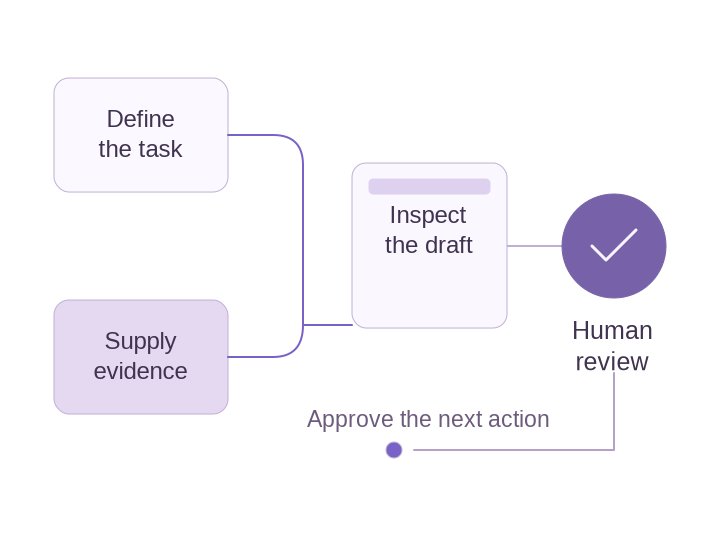
Give the work useful context, inspect the result and keep a clear boundary between confirmed information and a plausible draft.
Use AI with a brief you can actually check.
AI prompting is the process of giving a generative tool instructions and context for a task. A useful brief makes the intended reader, relevant input and expected result clear. It also identifies conditions that change the answer, such as a source that must be followed or information that is still unconfirmed.
You do not need a long role description or a collection of impressive-sounding commands. Begin with a small task you understand well enough to review. A volunteer handoff, a comparison of supplied notes or a first draft of a product explanation can make the missing context easier to notice.
Learn to write a useful prompt by describing the task, the relevant input and the result you need to inspect.
Instructions in. Evidence checked. Result out.
- TaskWho needs what result?
- InputWhat source changes the answer?
- BoundaryWhat must stay unknown?
- ReviewWhat makes the output acceptable?
Keep missing information visible in the result.
Imagine a fictional library preparing a handoff for an exhibition. The supplied notes confirm the setup time and the display list, but the collection time is undecided. A useful result separates the confirmed schedule from the open question. Filling that gap with a convincing time would make the handoff less reliable.
Review the output against the brief and the original material. Check names, quantities, commitments and important conditions separately. A fluent summary can still change the meaning of a note, and a source link can still fail to support the sentence beside it. Choose a check suited to the particular claim.
Save the review process alongside the prompt.
A repeatable workflow includes the task, the input, the instructions, the result and the review criteria. Keep a useful example of an acceptable output and record the changes made after review. That makes it easier to understand why a later result is useful or where it drifted from the requirement.
The School’s prompt builder helps you assemble instructions locally. It does not send those instructions to an AI service. Use the exercises to practice the structure and the checking process; when using an external tool for real work, follow the information-sharing rules and access arrangements of that work.
Then verify sources and calculations before treating an AI-assisted draft as ready to use.
Before you continue
Useful questions.
Direct answers.
Does the prompt builder connect to an AI account?
No. It runs as a local instruction-building exercise and does not call an AI service. You can use the resulting brief as a practice artifact and decide separately whether an authorized external tool is appropriate for a real task.
Does a better prompt guarantee an accurate answer?
No. Clearer instructions help define the task, but the result still needs review. Check factual statements, calculations and commitments against suitable evidence rather than treating confident wording as verification.
Do I need coding experience for these lessons?
No. The introductory tasks focus on writing a useful brief, examining source material, reviewing outputs and keeping a repeatable record. They do not require API setup, programming or a paid AI subscription.
What makes an AI workflow repeatable?
Keep the task, relevant input, instructions and acceptance criteria together. Save what was checked and what changed after review. Reusing a prompt alone is less informative when the source material or the expected result has changed.
Sources & further reading
- Google Prompting EssentialsClear task context, references, output evaluation and iteration.
- AI Prompting for EveryonePractical distinctions between finding information, critique and using context.