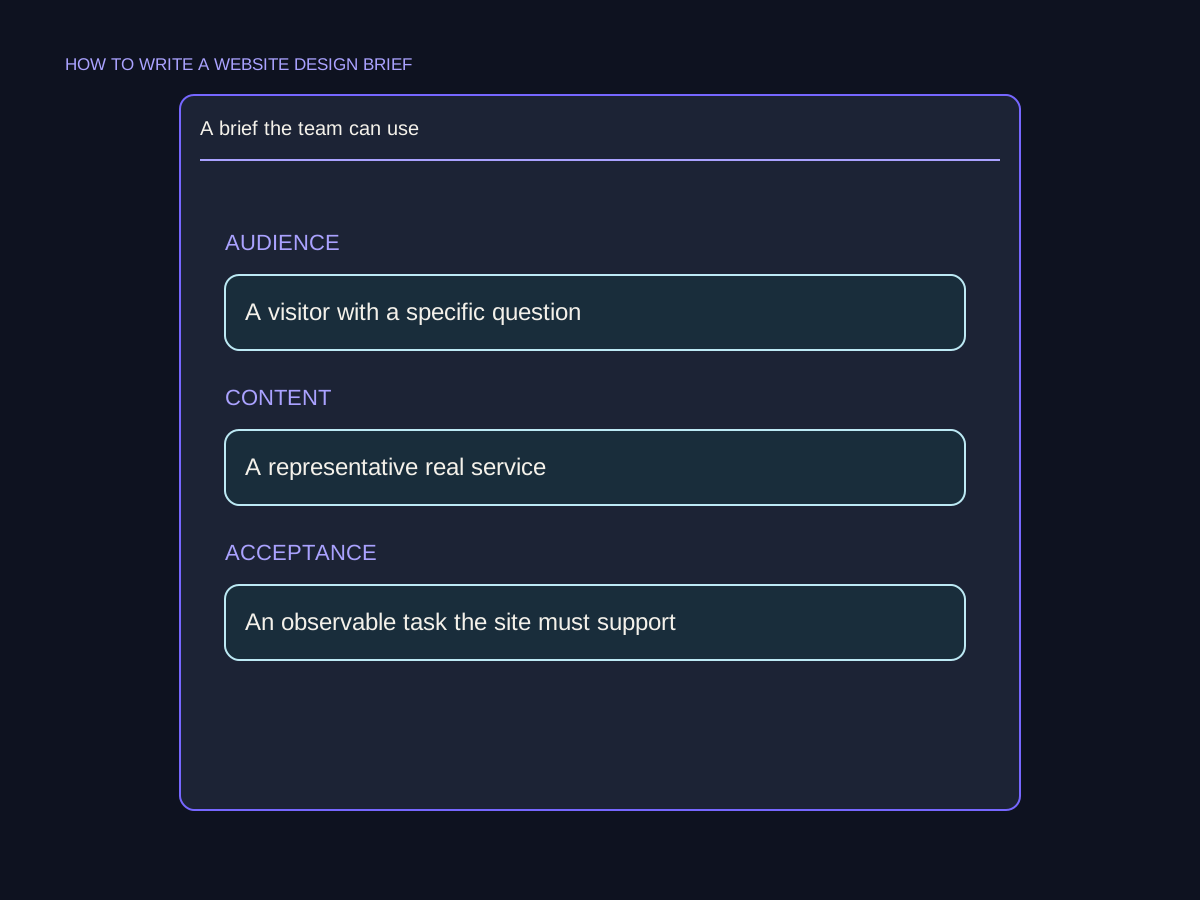
The idea, in plain English
Start here.
A website brief explains the problem, intended users, useful outcomes, required content and behavior, constraints, responsibilities and how completion will be checked. Mark unknowns and prioritize requirements so a designer or developer can ask good questions and propose an approach. For images, define what each asset must communicate, where it will appear, what is available and who supplies and reviews it. A mood board alone does not define the project.
‘Make a beautiful rental website’ leaves several projects open to interpretation: a catalog, an availability-request service or a store with accounts and payment. A useful brief explains which visitor task matters now, what is included and what can wait. That clarity also gives each image a purpose beyond filling an empty block.
A few words you’ll meet.
OPEN WHAT YOU NEED ↙Website brief
A shared description of why the website work is needed, who it serves, what it should do and the conditions shaping delivery.
Scope
The agreed content, behavior and work included in the project, with important exclusions or later phases made explicit.
Acceptance criterion
An observable condition used to check whether a particular requirement has been delivered appropriately.
Asset brief
Instructions for a specific image, graphic or other media item: its purpose, placement, required content, practical constraints and owner.
Describe the problem, audience and useful outcome
Explain the current situation in ordinary language. Who needs the site and what are they trying to do? Describe the obstacle with evidence where available. A venue organizer trying to request a microphone kit needs product information and a working availability inquiry, which is more concrete than ‘an innovative digital experience.’
Separate a desired outcome from an unsupported forecast. State a baseline or target when it is actually known, with its definition and owner. If it is not known, record the gap and how it will be resolved. A brief helps align decisions; it cannot guarantee a number of leads or make an arbitrary target realistic. Include genuine platform or operational constraints, while leaving room for an appropriate implementation.
Define required behavior, scope and dependencies
List the relevant pages or content types and their job. Describe important features through inputs, results and failure states. For an availability request, what information is needed, where should the record go and what does the visitor see? Make clear whether a request merely begins a conversation or confirms a reservation.
Prioritize essential requirements and identify deferred or excluded work. For a redesign, inventory useful existing content and URLs so the project can explicitly plan what to retain or change. Name integrations, access dependencies, budget boundaries, timing and the people responsible for decisions. Do not paste credentials into the brief. A missing decision should have an owner, rather than being silently left for the builder to guess.
A useful brief connects the decisions.

Plan content and images by their job
Create a simple asset inventory: ready, needs revision, needs creation or waiting for source confirmation. Name who supplies product facts, copy, photos and graphics, and who checks them. Annotate design references with what helps: readable hierarchy, useful cropping or an understandable process diagram. A reference is direction, not a request to copy another business’s claims or work.
For each image, specify what it must show and why. An actual microphone-kit photo can help identify the equipment; a connector close-up can answer a compatibility question. Plan the placement, useful desktop and mobile crops, necessary detail and any text space. Record source, permitted use and approval status. An illustration can explain a concept, but should not pretend to document real equipment, staff or completed work that it does not show.
Agree checks, open questions and the handover
Define what delivered means for the main task. Check approved facts and assets, readable layouts, usable controls, relevant error states, destinations and the intended request record. Record the accessibility and browser/device scope to be evaluated, rather than using an unexplained perfect-score promise. Distinguish a completed implementation check from a later commercial outcome.
Keep the brief versioned and update decisions when scope changes. Confirm who maintains content, accesses the relevant accounts and receives the editing and operational documentation. Before comparing proposals, check that they address the same requirements, assumptions and exclusions. A useful brief makes important questions visible; the detailed solution and delivery agreement still need their own review.
A rental catalog with an honest first phase
Original fictional River Audio Hire project. Primary visitors organize small-venue talks. They need to understand a microphone kit and request availability for their dates. The first phase includes useful catalog detail and a checked request path; customer accounts and instant payment are deferred. Budget, real availability and production dates remain for the project owner to confirm.
| Brief item | Specific requirement | Owner or check |
|---|---|---|
| Visitor task | Understand the kit and request availability | Rental manager confirms necessary product facts. |
| Feature behavior | Request record plus accurate received state | Test destination, errors and repeats; no automatic reservation implied. |
| Kit image | Show the actual included components | Asset owner supplies permitted material; manager checks accuracy and crops. |
| Connector detail | Answer a real compatibility question | Confirm the depicted connector matches the kit. |
| Later phase | Accounts and instant payment | Excluded from the first phase unless scope is explicitly revised. |
Put it into practice
Write a brief another person can question usefully
Use River Audio Hire. You have product descriptions needing manager review and no final approved photos. Someone assumes the first phase includes payment and confirmed stock availability.
- State the audience, task and desired outcome without inventing a forecast.
- Define the first-phase behavior and exclusions.
- Write an asset brief for the kit photo and connector detail.
- Mark missing facts and approvals with their owners.
- Define how the main request journey and handover will be checked.
Keep your working notes in your own document. This page saves only your completion check, not your answers or customer data.
Check your understanding
Make the call.
Choose an answer for each question. Then compare the reasoning.
You have a useful next step.
- Describe the problem, users and outcome in plain language.
- Define behavior, scope, content and asset ownership.
- Expose unknowns and agree reviewable checks and handover.
Completion is your own learning record. Quiz scores and practice checks are saved separately, on this browser.
Sources & context
The sources below explain the factual foundations and editorial methods used in this lesson. Worked examples, planning models and exercises are illustrative teaching material.
- Your Digital Team: Website brief template
Full editorial method for goals, content ownership, scope, acceptance and handover; no fixed section count is required here.
- Meritbyte: Website project brief
Full editorial guide to requirements, explicit unknowns, feature priorities and comparable scope. Regional legal/payment examples are not adopted.
- iTechGuides: Write a website brief
Full guide to content readiness, annotated visual references, feature behavior and operational ownership. Vendor prices and market benchmarks are not reused.
Explore the full companion guide
This lesson is also part of the journal. Keep reading for the original guide, supporting references and further detail.
A website brief describes the business problem, the people the site serves and the behavior the finished website must support. It gives a team enough context to propose and price the same project. You do not need to select the technology first. You do need to make the important requirements, responsibilities and unknowns visible.
Start with the visitor task and the business reason
Explain what the business does and why the project is happening now. Perhaps a new service is missing from the site, customers cannot compare the available options, or the current publishing system makes routine updates difficult. Name the change in concrete terms rather than asking for a modern or premium website without context.
Describe the main visitor situation. Someone trying to arrange an urgent appointment needs a different route from someone comparing suppliers for a planned project. Write what that person needs to understand and which action they should be able to complete. When several audiences matter, put them in priority order and explain which shared information they need.
If a focused offer can be explained without hiding important differences, consider a one-page website scope. A complex set of services or audiences may need separate pages. Let the visitor tasks determine the size of the site.
Describe the pages and material the project needs
List existing pages and the jobs they perform. Mark useful material to retain, outdated information to correct and questions that currently have no clear answer. For a new website, outline the likely page roles rather than assuming each internal department needs a navigation item.
Beside each page, note the evidence available: service facts, product specifications, approved reviews, project records, real photography or policy details. Identify missing material and who can supply it. A business owner can give a writer factual notes without producing finished copy, but someone still needs to check the eventual explanation. Images should be planned around what a page needs to show, with usage rights and permissions confirmed.
If the missing material includes new imagery, use a website photoshoot plan to agree the subjects, crops and delivery before booking the session.
Write requirements as observable behavior
Turn a feature request into a task with a result. Instead of asking for an advanced form, explain which information a visitor should provide, where the inquiry should arrive and what the confirmation should say. Instead of naming a booking plugin, describe whether a person selects an available time or sends a request for staff to confirm.
Add the conditions that could change the implementation. Does a record need to enter an existing system? Are there multiple locations or services? Should staff be able to update the offer themselves? Identify the tools already in use and the person responsible for them. Mark a preference as a preference and a genuine constraint as a constraint so the proposal can explain the trade-offs.
- Visitor task: what someone must be able to do.
- Required information: what they need to know or enter.
- Destination: where the action or data should go.
- Acceptance check: what demonstrates that it worked.
Assign content, access and approval owners
Name the business contact who coordinates feedback, the people who check specialist facts and the person who approves the release. Agree how feedback will be consolidated. If several reviewers can request changes independently, the project needs a way to resolve conflicting instructions.
Document who controls the domain, hosting, publishing platform, reporting tools and relevant integrations. Record account owners and access requirements in the brief without putting credentials in the document. Include the expected handover: accounts, files, guidance and the routine changes the business should be able to make. Access and maintenance are part of the project outcome, not details to discover after launch.
Connect the budget and date to the scope
State the available budget range if known and explain what it should cover. Build work, copywriting, photography, integrations and ongoing services are different cost areas. Ask providers to distinguish inclusions, exclusions and recurring costs rather than comparing only the headline number.
Explain the reason for any firm date and list what it depends on. A campaign launch, event or operational change can create a real deadline; unfinished copy or unavailable reviewers can affect it. Separate required launch features from later ideas. If the current website is being replaced, use the redesign decision guide to identify migration and continuity work before it becomes an unexpected addition.
Use the brief to compare and accept the work
Send the same brief to each prospective provider and ask how their proposal addresses the main visitor task, content gaps and dependencies. A helpful response explains where the provider recommends a different scope and why. Compare the resulting deliverables, responsibilities and acceptance checks, including anything the proposal leaves undecided.
Keep the brief current as decisions change. Record the agreed change, its owner and its effect on the release rather than allowing a new expectation to remain in a conversation. Before launch, walk through the acceptance checks on the actual release. The project is ready when the agreed behavior and handover are demonstrated, not simply when the page count is complete or the homepage looks finished.
Draft the main visitor task first. Then add the pages, facts, dependencies and acceptance evidence needed to support it. Leave an explicit unknown where advice is required, and send the same version to every provider.
How long should a website brief be?
Long enough to explain the visitor task, essential scope, responsibilities and constraints. A focused project can use a short document; a complex site may need supporting inventories. Length is less useful than a clear shared understanding.
What if the business does not know the right platform?
Describe the required behavior, existing tools and maintenance needs. Ask the provider to recommend an approach and explain how it meets those requirements.
What is the difference between a brief and a specification?
The brief explains the need and constraints. A specification usually describes the detailed functionality and implementation requirements developed from that need. Make the terminology and deliverables clear within the project.
Companion guide references
- Google Search Central: Site moves with URL changes ↗
Primary reference for the migration requirements of a replacement website.
- Nielsen Norman Group: 10 Usability Heuristics ↗
Reference for system feedback, familiar language and supporting error recovery. The example brief and workflow here are our editorial guidance.
Put it into practice SEO Supreme
A miniature brief for a workshop website.
Illustrative starting point: a workshop wants a clearer website for people commissioning custom furniture. The brief can define a useful first scope without choosing a layout or inventing a sales target.
Reader and decision.
A prospective customer wants to know whether the workshop handles their type of project. The website needs to explain the actual offer, relevant materials, and how the first conversation works.
- Prospective customer
- Actual service
- First conversation
Content and owner.
The workshop supplies approved project photographs, service boundaries, and the facts needed for an inquiry. Name a person who can confirm that the examples and descriptions accurately represent the business.

Acceptance check.
A new visitor can identify the relevant service, understand what information to prepare, and submit a test inquiry through the agreed process. Confirm those behaviors rather than accepting the site only because its appearance feels finished.